Remote Control Set-Up
IMP suggests the Satechi R2 Multimedia Remote.
Set up the remote like this:
-
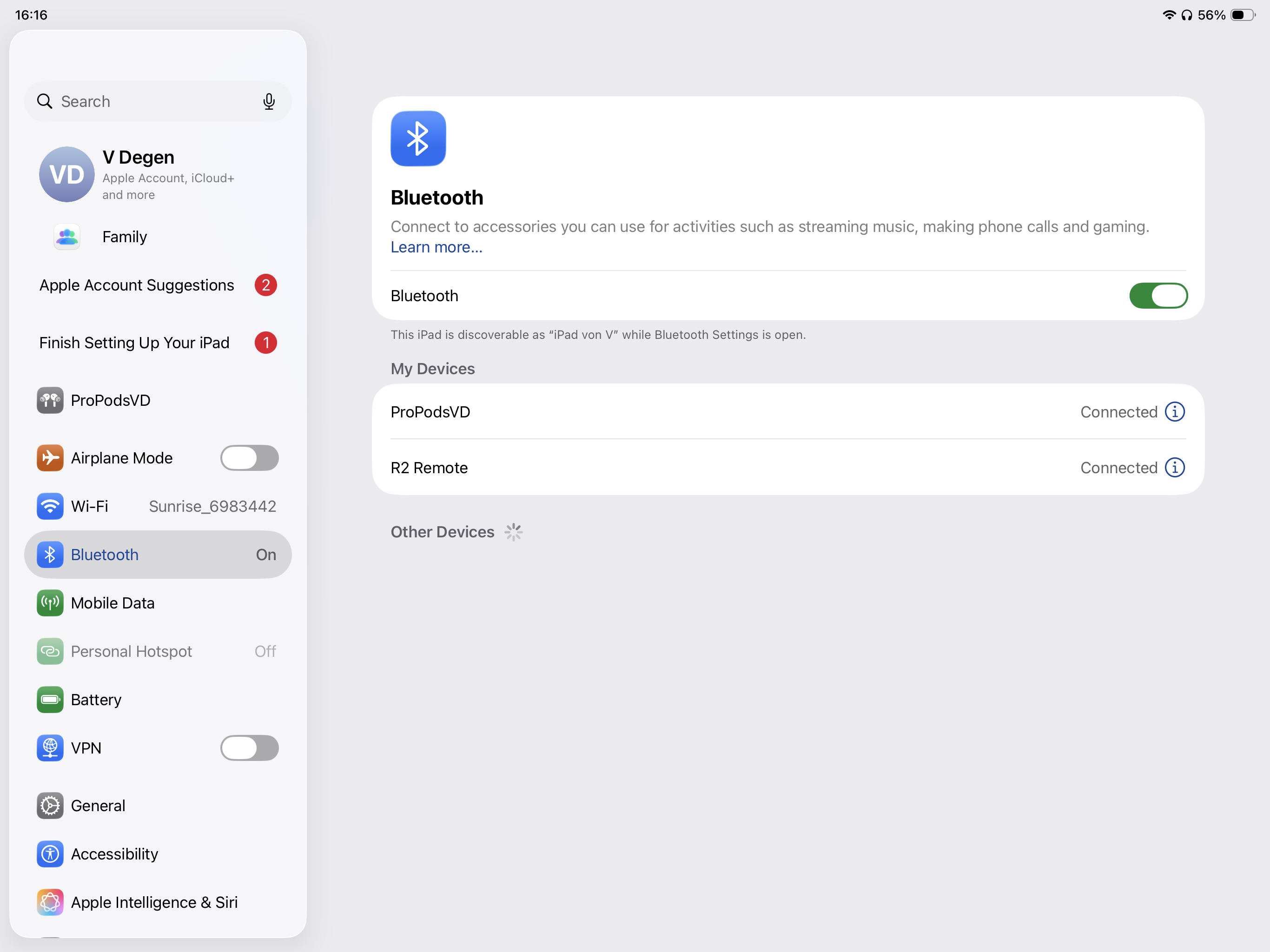
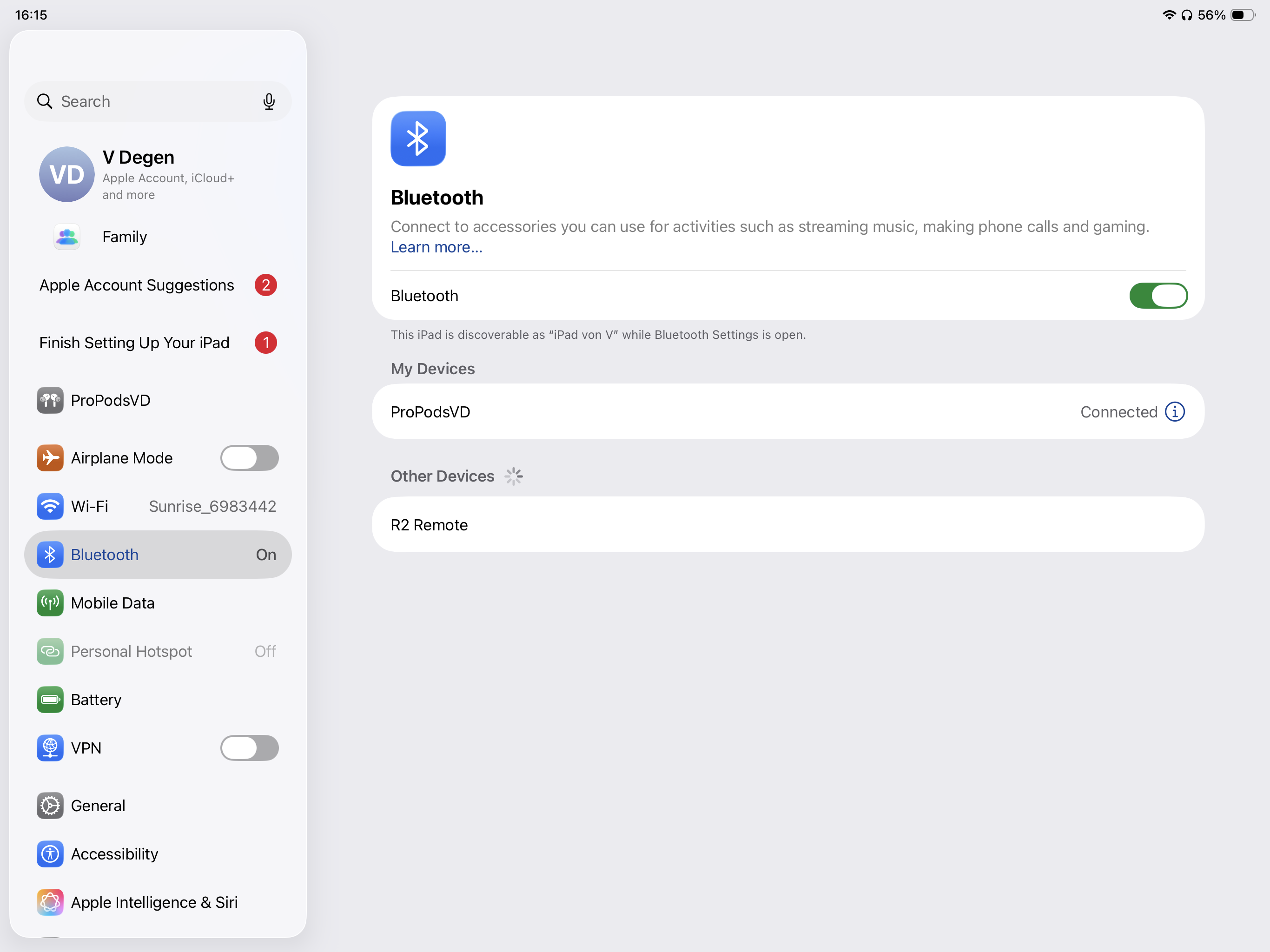
Access and activate 'Bluetooth' in your iPad's 'Settings'
-
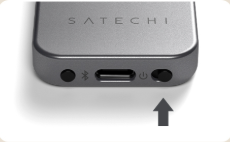
Load the remote via USB-C cable and turn it on via the 'Power' button
-
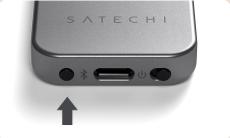
Hold the left button with the 'Bluetooth' icon on your remote's bottom
-
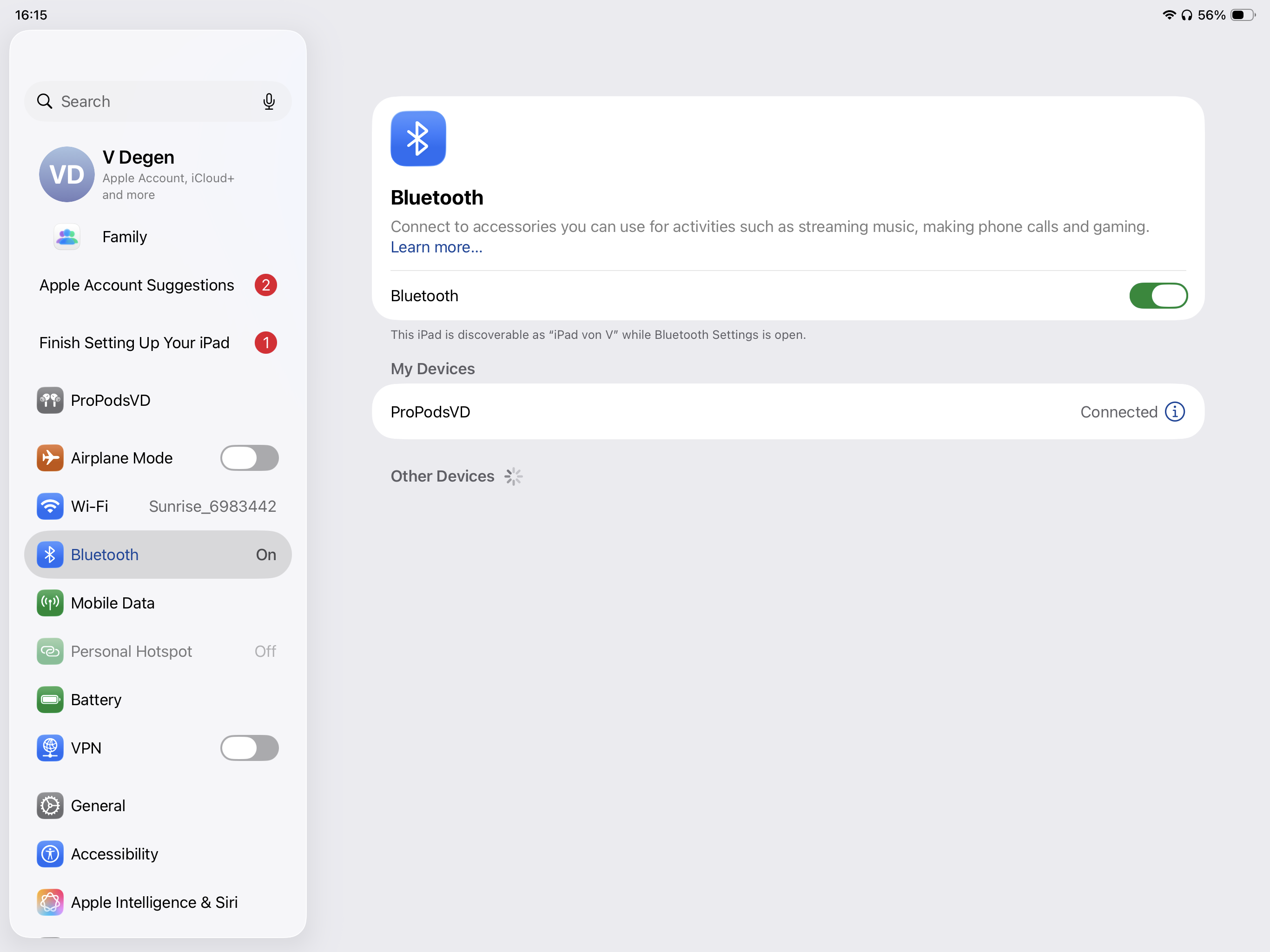
Until the device 'R2 Remote' pops up under 'Other Devices'
-
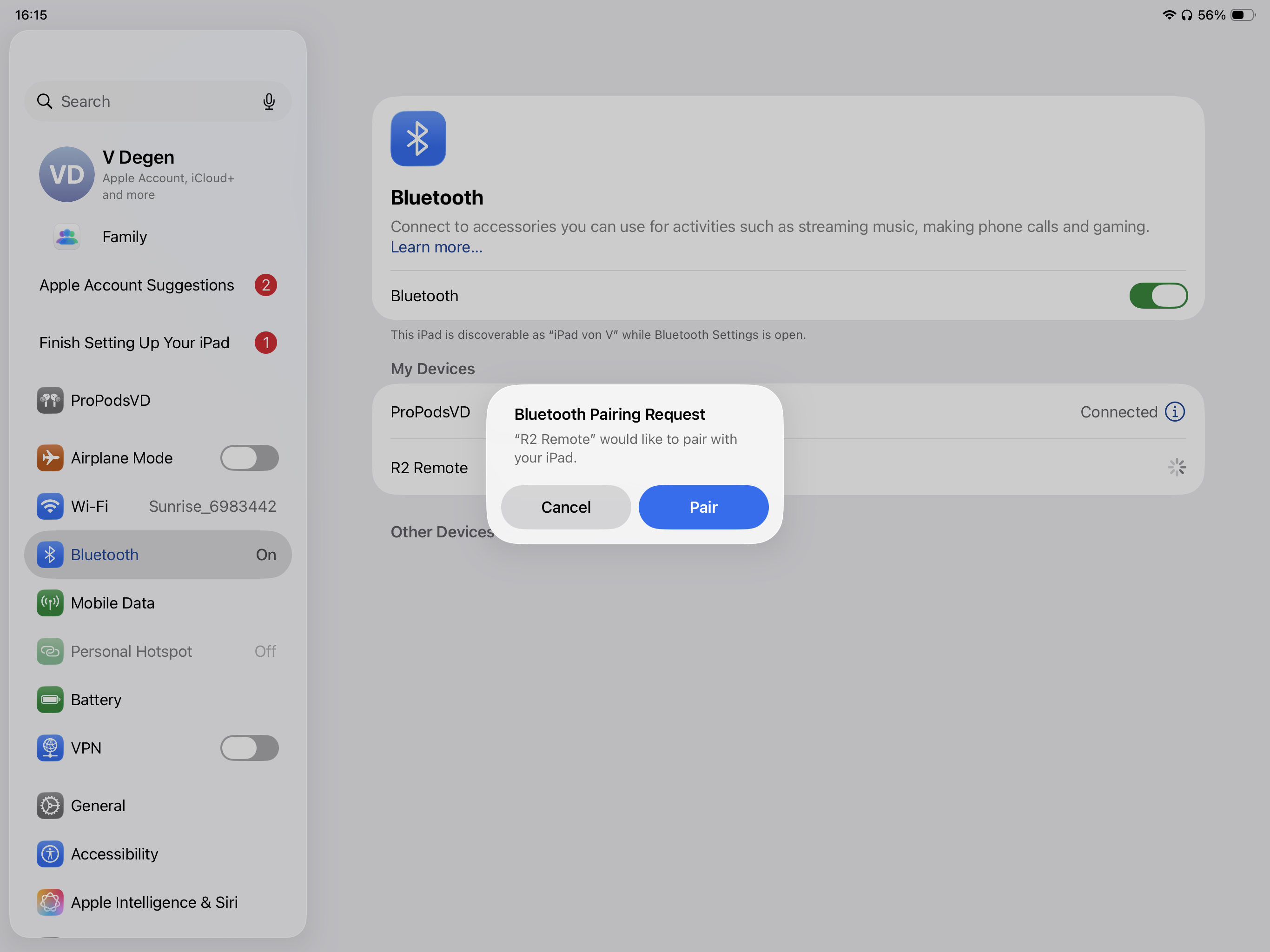
Select 'R2 Remote' and allow it to 'Pair' with your iPad
-
To confirm successful pairing, see it in 'My Devices' as 'Connected'