Surgical Workflow Overview (Template Lifecycle)
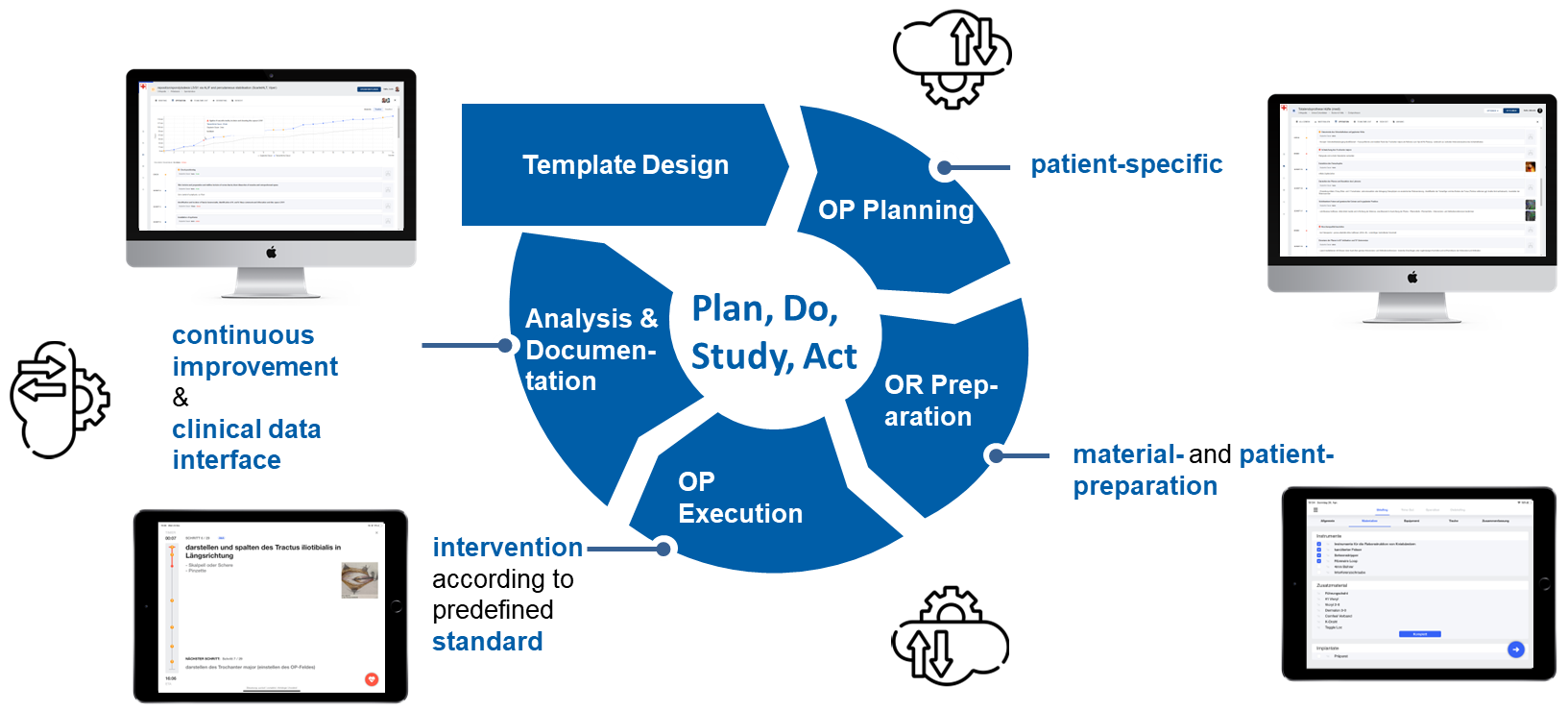
Preoperative – Design & Planning (Web Application)
– Intuitive case planning based on surgical workflows (from external, private or institution-specific templates created by surgeons and organizations)
– Integration of customizable safety checklists and relevant surgical attachments (e.g. radiographs, positioning images)
– Risk minimization through Time-Out protocols and procedure-specific safety flags defined in the pre-operative part of the surgical workflow template
Preoperative – Setup & Preparation (iOS App)
– Structured preparation of the surgical team with procedure- and surgeon-specific layouts for instrument tables, materials, equipment, systems, and patient positioning
– Full access to the surgical workflow template for team-wide orientation and role clarity
– In emergency scenarios, procedures can be initiated directly from the iPad, using a streamlined entry mode with limited patient information to ensure rapid deployment (Start OP-button)
Intraoperative – Execution (iOS App)
– Execution of the operation following predefined clinical standards, usable both online and offline
– Real-time display of current and upcoming steps, ideally on external monitors (e.g. TV monitor, C-arm), including material requirements per step and an estimated time of arrival (ETA)
– Hands-free control via Bluetooth remote or wireless foot pedal
– Supports active team engagement and intraoperative teaching
Postoperative – Analysis & Documentation (Web Application)
– Automated surgery documentation, compliant with GDPR
– Integrated performance tracking via comparison of actual vs. planned time per workflow step, enabling analysis of deviations, efficiency, and pacing across procedures
– Structured Adverse Events management, capturing both human and material-related events ('Observations')